


Staia: Cosmic Guide
4.775.00 Reviews
App Specs
- Version
- 1.9.7
- Updated On
- License
- Free
- Downloads
- 10,000+
- Developer
- MediaKey Solutions
- Categories
- Lifestyle
- Platform
- Android
Screenshots


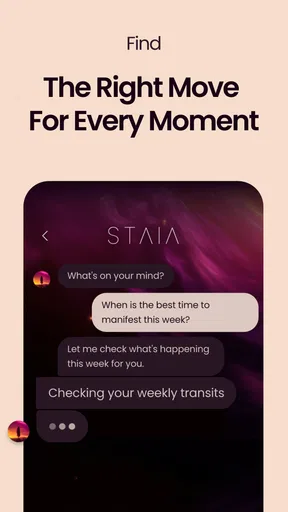
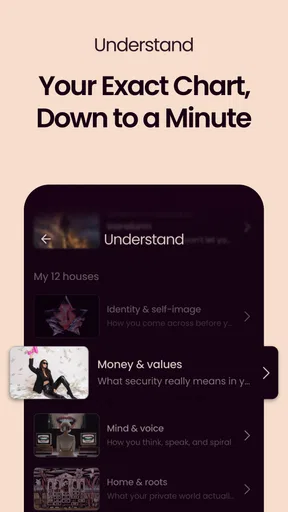


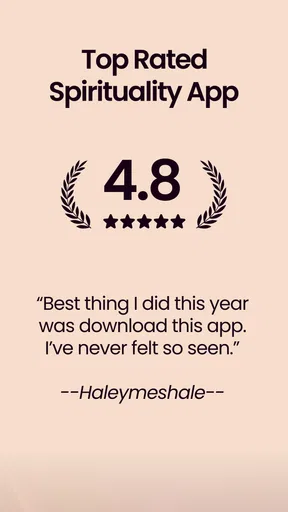
 Analysis by AppCompare
I approached Staia: Cosmic Guide as a lifestyle app for people who enjoy astrology and spirituality but still want something easy to fit into an ordinary day. My first impression was that its appeal depends less on treating it as an authority and more on using it as a reflective companion. It can give your morning a theme, help you pause before reacting, or offer language for thoughts that are otherwise difficult to organize.
That distinction matters. I would not use Staia to make medical, financial, relationship, or career decisions on my behalf. I found it more useful when I treated its guidance as a prompt for self-reflection rather than a fixed prediction. If you enjoy that kind of experience, the app has a gentle place in a personal routine. If you want evidence-based advice, detailed astronomical tools, or a completely free experience with no purchase prompts, you may prefer a different kind of app.
Getting past the first points of friction
The developer behind the app is MediaKey Solutions, and Staia sits in the Lifestyle category with an astrology and spirituality focus. It is free to install, which makes it simple to try without committing money at the start. The app is rated for Everyone, so its presentation is intended for a broad audience rather than a narrowly adult spiritual community.
One of the first places users can get stuck is deciding what they want from it. “Astrology and spirituality” can mean daily readings, birth-chart exploration, meditation prompts, symbolic guidance, or simply a calming ritual. Staia works best when I give it a specific role. For me, that role would be a short check-in at the beginning or end of the day, not an app I leave open constantly while waiting for instructions.
The store short description is simply “Staia,” so the name does not explain the experience by itself. I recommend opening it with a clear expectation: explore the guidance, notice what resonates, and keep a private mental note of what feels useful. That approach prevents a common disappointment, which is expecting every screen to deliver a precise answer to a personal question.
Staia has an average rating of 4.7 from around five thousand ratings, and it has passed ten thousand installs. Those figures suggest that the concept connects with a meaningful group of users, although popularity cannot tell me whether the tone will suit every person. Spiritual apps are particularly personal; a design that feels reassuring to one user can feel vague or overly polished to another.
What to check before blaming the app
Staia requires Android 7.0 or later, so compatibility is the first practical check for Android users. If the app refuses to install or behaves strangely immediately, I would start by confirming the device software rather than repeatedly reinstalling it. On a compatible phone, I would also make sure the operating system has enough free space for a normal installation and that the app store itself is functioning correctly.
Worth Reading Before You Choose

Flipboard Shows What News Apps Must Do Beyond the Feed

Switching to Android Auto Means Rethinking Your Driving Routine

Google Calendar Makes a Crowded Week Easier to Manage

Ludo King Makes the Most of the Minutes Between Plans

Baby Panda World Brings Quick Play to Modern Phones, but Its Game Library Feels Busy

ESPN’s Live Game View Makes Following Close Games Easier
After installation, I would open the app on a stable connection and give the first launch time to complete. Astrology and spirituality apps often rely on content that needs to load, and a blank or incomplete screen can sometimes be a temporary connection issue rather than a permanent app failure. Switching between a reliable Wi-Fi connection and mobile data is a simple way to identify whether the problem follows the network.
Another useful setup habit is to read each screen carefully instead of tapping through quickly. If Staia asks for personal context, enter only information you are comfortable using in a lifestyle app. I would double-check dates or other details before continuing, because an incorrect starting point can make later guidance feel irrelevant even when the app itself is working normally.
The current version is 1.9.7. Keeping the installation current is sensible when the app behaves inconsistently, especially after an operating-system update. I would update through the normal app-store process, close other demanding apps, and restart the phone before trying more complicated fixes. These steps are unglamorous, but they solve many launch and loading problems without risking local settings.
A calmer way to recover a stalled workflow
When a session does not load properly, my recovery order would be deliberately conservative. First, I would leave the screen and return to it once. Then I would close Staia completely, reopen it, and test the same action on a stable connection. If the problem remains, I would restart the device and check whether the app has an available update.
I would avoid clearing storage or uninstalling immediately. Those actions can remove local preferences or force me to repeat setup, and they do not necessarily address a temporary service or network interruption. Reinstallation is a later step, useful when the installation appears damaged, but it should not be the first response to every frozen screen.
A practical trick is to change only one thing at a time. If I change the network, update the app, clear storage, and reinstall in one sequence, I cannot tell what actually helped. Testing one adjustment, then repeating the same task, makes troubleshooting less frustrating and protects a working setup from unnecessary changes.
If a reading or spiritual prompt feels repetitive, I would first consider the workflow rather than assume the app is broken. Using the same screen in the same way can produce a narrow experience. I would vary the time of day, approach the content with a different question, or use one prompt as a journaling starting point instead of expecting a new answer every time. That is a better test of usefulness than rapidly refreshing the same view.
Separating app trouble from phone trouble
Sometimes the cause is outside Staia. If several apps are slow, the phone may be short on storage or busy completing system work. If only Staia is affected, the issue is more likely to involve its installation, connection, or current session. That simple comparison can save time and prevents unfairly judging a lifestyle app for a broader device problem.
Battery-saving restrictions can also make background behavior feel inconsistent on some phones. I would not assume that every delayed notification or refreshed screen means the app has lost information. Checking the phone’s general battery and network settings is a safer first step than changing multiple app permissions without knowing what they do.
There is also a difference between a technical error and a disappointing interpretation. A vague message, a reading that does not match my mood, or guidance that feels too general is not necessarily a malfunction. Staia is a reflective product, so its value depends partly on how I use the material. I would judge it by whether it helps me think, slow down, or notice a pattern—not by whether it predicts an event with certainty.
Privacy is another reason to be intentional. I would avoid entering sensitive details that are not necessary for my personal use, and I would not treat any spiritual profile as a secure diary for highly confidential information. That is not a criticism unique to Staia; it is a sensible boundary for any app that asks users to connect personal identity with lifestyle content.
How I would use Staia in everyday life
My preferred routine would take only a few minutes. In the morning, I would open the app, read the day’s guidance without immediately accepting it as fact, and choose one phrase that could become a practical intention. For example, if the message encourages patience, I might decide to wait before replying to a difficult message. The value comes from turning an abstract idea into a small action.
In the evening, I would revisit that intention and ask whether it changed anything. This creates a useful separation between the app’s symbolic language and my own judgment. It also stops the experience from becoming passive scrolling. Staia becomes more worthwhile when I use it to generate a question, then answer that question myself.
A less obvious use is preparing for a conversation. Before a stressful meeting with a friend or colleague, I could use a prompt as a short pause: What am I assuming? What outcome am I trying to force? What would listening look like? The app does not need to provide a direct answer for the exercise to help. Its spiritual framing can simply create enough distance for me to respond more thoughtfully.
Another helpful workflow is to keep a very small record of reactions outside the app. I would note the date, the main theme, and one action I took, rather than copying every piece of text. After a few weeks, that record would show whether Staia genuinely supports reflection or whether I am opening it out of habit. This is a better way to evaluate a personal-growth tool than relying on a single impressive reading.
There is a trade-off in this style of use. The more I treat the app as a prompt, the less I expect it to deliver certainty. Users who want firm predictions may find that approach unsatisfying. Users who enjoy symbolism, journaling, and quiet routines are more likely to appreciate the flexibility.
Who will enjoy it, and who should skip it
I think Staia is a good match for someone who is curious about astrology or spirituality but does not want to build an elaborate practice immediately. It is also suitable for people who like short daily rituals, reflective questions, and gentle reminders to check in with themselves. Because it is free to install and rated for Everyone, trying the basic experience is relatively approachable.
I would be more cautious recommending it to someone who wants a rigorous astronomy application. Astrology and astronomy are different subjects, and Staia’s identity is clearly on the spiritual side. It is also not the right replacement for therapy, crisis support, medical guidance, or professional financial advice. Anyone looking for those services should use a qualified source instead of an interpretive lifestyle app.
The purchase model deserves attention before settling into regular use. The app is free, but in-app purchases range from $6.99 to $79.99 per item. I would explore the free experience first, decide whether the habit is genuinely useful, and only then consider whether an optional purchase fits my budget. A high-priced item can be poor value if I am only opening the app occasionally or if I mainly want a simple daily reflection.
This is also where Staia differs from common alternatives. A general meditation app usually emphasizes breathing, relaxation, or guided sessions. A horoscope-focused service may concentrate on short forecasts and zodiac identity. A journaling app gives me complete control over the questions and answers. Staia occupies the middle ground: it offers a spiritual frame that can spark reflection, but it may not provide the depth of a dedicated birth-chart tool or the structured exercises of a serious mental-wellness platform.
That middle position is its strength and its limitation. I can open it when I want a little direction without committing to a long session. However, if I already know that I prefer meditation timers, open-ended journaling, or detailed astrological analysis, a specialized alternative may feel more focused and satisfying.
Small habits that make the experience better
My first tip is not to read guidance while distracted. If I open Staia between several notifications and immediately swipe away, even a thoughtful prompt becomes background noise. Giving it a quiet minute makes the experience feel intentional and helps me decide whether the message has any practical relevance.
My second tip is to translate every interesting idea into observable behavior. “Be open” is too broad to evaluate, but “ask one follow-up question before giving my opinion” is concrete. This prevents the app from becoming a collection of attractive phrases and turns it into a tool for small experiments.
My third tip is to notice disagreement instead of forcing agreement. If a reading does not fit, I would ask why: am I tired, dealing with an unusual situation, or simply responding to a generic statement? That honest reaction is useful information. A spiritual app should not pressure me into accepting every interpretation, and I would not recommend using it that way.
Finally, I would keep purchases separate from emotional moments. If a difficult day makes an upgrade or paid item feel urgently necessary, I would wait and reassess later. The app can be comforting without becoming a substitute for real support, and a calm decision about spending is part of using any optional-purchase service responsibly.
My practical verdict
Staia: Cosmic Guide is a pleasant option for people who want astrology and spirituality woven into a short personal routine. I like its potential as a prompt for intention-setting, journaling, and calmer decision-making. The most rewarding experience comes when I use its guidance as a starting point and keep responsibility for the final interpretation myself.
I would not call it essential, and I would not recommend it to someone seeking scientific explanations, professional counseling, or a fully structured meditation program. The optional purchases also mean that “free to install” should not be confused with unlimited free access. Still, the free starting point makes it reasonable to test before deciding.
My recommendation is to install it when you are curious, check compatibility and connection issues patiently, and use it for a defined routine rather than endless checking. If a few minutes with Staia helps you pause and act more deliberately, it is doing something worthwhile. If the guidance feels too broad or the purchase model does not suit you, a focused journal or meditation app will probably serve you better. For the right reader, though, Staia: Cosmic Guide can be a thoughtful daily companion rather than just another screen to open.
Pros
- Personalized cosmic insights make astrology feel more relevant to your daily life.
- Clean
- modern interface is easy to navigate for first-time astrology app users.
- Daily guidance offers a quick way to build a reflective routine.
- Cosmic themes and visuals create an engaging
- calming user experience.
- Useful for exploring personality patterns
- moods
- and relationship dynamics.
Cons
- Some interpretations may feel broad or too general for skeptical users.
- The most detailed insights may require a paid subscription or in-app purchase.
- Astrology content should not replace professional advice for serious decisions.
- Frequent notifications could become distracting if not carefully customized.
- Accurate readings may depend on entering complete and precise birth details.
FAQs for Staia: Cosmic Guide
What is Staia: Cosmic Guide, and what can I use it for?
Staia: Cosmic Guide is an astrology-focused mobile app designed to help users explore cosmic themes, birth-chart information, zodiac interpretations, and personalized guidance. After entering relevant details such as your birth date, time, and location, the app presents readings intended for reflection and entertainment. Its content may help you understand astrology concepts, follow planetary influences, and discover daily or personalized insights in an accessible format.
Does Staia: Cosmic Guide require my exact birth time and location?
For the most personalized results, Staia: Cosmic Guide may request your date of birth, precise birth time, and birthplace. These details can affect the calculation of your natal chart and the accuracy of interpretations within the app. If you do not know your exact birth time, you can usually enter an approximate time or continue with limited information, although some readings and chart features may be less detailed.
Is Staia: Cosmic Guide free to download and use?
Staia: Cosmic Guide may be available to download at no initial cost, but certain readings, advanced astrology tools, or personalized features can require in-app purchases or a subscription. Before confirming a trial or payment, review the pricing, renewal terms, and cancellation instructions shown in the relevant app store. Availability and included features may also differ between Android and iOS versions.
Can I rely on Staia: Cosmic Guide for important life decisions?
Staia: Cosmic Guide should be treated as an astrology and self-reflection tool rather than a source of professional advice or factual predictions. Its interpretations are designed for entertainment, personal insight, and exploring symbolic themes. You should not use the app as the only basis for medical, financial, legal, relationship, or other major decisions. When necessary, consult a qualified professional who can assess your situation directly.
What personal information does Staia: Cosmic Guide collect?
Because astrology apps need birth information to create personalized charts, Staia: Cosmic Guide may collect details such as your birth date, time, and place, along with account or device information depending on how the app works. Before creating a profile or subscribing, read its current privacy policy and app-store disclosures. Check what data is stored, how it is used, whether it is shared, and how you can request deletion.


